

A construction technology evaluation checklist is a structured framework that helps contractors test and validate new hardware or software tools against real, field-driven criteria before committing to purchase. Instead of relying on product claims, this checklist stress-tests each tool under conditions that mirror actual project delivery.
Many construction technology investments fail because they were never stress-tested in real jobsite conditions. In conference rooms and polished demos, software runs flawlessly, devices respond instantly, and integrations appear seamless. On an active site with dust, heat, spotty cell coverage, and crews under schedule pressure, the experience often looks different. As Construction Executive highlighted in its discussion of stress testing construction technology, systems that appear to save money in a demo can actually increase costs through downtime, long training curves, and extra manual work that cancels out projected gains.
Construction technology should aim to improve labor productivity and reduce administrative burdens. With $100 trillion expected to be spent on infrastructure globally in 15 years, demand for reliable construction technology will only grow. But the risk of choosing the wrong tool grows with it.
This article turns the stress-testing concept into a practical, step-by-step construction technology evaluation checklist tailored for Southern California contractors. The audience includes construction executives, project managers, foremen, and financial leaders who approve tools for field teams and office staff. Whether you manage high-rise work in Los Angeles, logistics facilities in the Inland Empire, or public works in Orange and Riverside Counties, unreliable software or devices can halt production and damage margins.
The six stress-test themes covered here are: interruption risk, time to productivity, real-world field performance, vendor support, data movement and integration, and total cost of ownership. By the end, you will have a printable checklist to apply to your next construction technology or management software purchase.

The goal of any evaluation framework is not collecting features. It is proving that a specific technology solution fits the company’s people, projects, and risk profile. Technology evaluation should consider real-world operational impact and financial return on investment, not just datasheet specifications.
A solid checklist should be one page or less, and every question should connect back to a concrete business outcome: schedule reliability, safety, cash flow, or labor productivity. Evaluating construction technology effectiveness includes measuring workflow friction reduction, meaning how much smoother daily operations become compared to the current process.
The six decision areas are:
Use this checklist at the procurement stage, before you sign the contract. The same structure works for hardware (jobsite cameras, tablets, wearable construction technology) and software (project management platforms, estimating tools, field productivity apps). Safety, quality, and compliance assessment involves measuring adherence to industry regulations and standards, and while this checklist supports informed decisions, it does not replace legal review of contracts, warranties, or California data-privacy obligations.
The first question in any construction technology evaluation checklist is interruption risk: what it will cost the company if this tool fails for a day, a week, or a month. Reliability and suitability relate to how technology performs under real job-site conditions, and failure can ripple across every trade on site.
Walk through specific scenarios. Construction management software goes offline during an inspection window. GPS tracking fails during a crane move. Safety monitoring wearables lose connectivity in summer heat. Over 40% of construction delays stem from supply chain issues; if your procurement or scheduling platform compounds those delays with its own downtime, the damage multiplies.
Contractors should map each system to critical workflows (RFIs, daily reports, timecards, safety observations, subcontractor pay applications) and then quantify the schedule and cash-flow impact. Southern California’s dense schedules, complex coordination across trades, and multi-jurisdiction public works projects with liquidated damages amplify every hour of lost access.
Practical evaluation steps include:
Even the best technology solutions fail if crews cannot learn them quickly. On Southern California jobsites, teams speak English, Spanish, and other languages, and turnover can be high. Usability focuses on intuitive design for users in the construction technology context, not just for office administrators.
Add a “time to productivity” section to your checklist. Measure how long it takes a new foreman or apprentice to complete real tasks in the system. User adoption depends on training effectiveness and users’ perceived value of the technology; if the tool feels like a burden rather than an advantage, adoption stalls.
Run a pilot on a small but representative project. Invite foremen, project engineers, and payroll staff. Assign realistic tasks: enter daily logs, approve change orders, and track materials. Then track:
AI-powered tools can dramatically improve efficiency. For example, AI can reduce procurement tracking time by 80% and cut procurement management time by 80%, freeing project managers for higher-value coordination. Virtual reality training reduces risks and improves safety in construction by letting crews practice complex tasks before stepping on site.
Pair pilots with technology courses and education through ABC SoCal or vendor programs so early adopters become peer trainers. Avoid buying tools that only “click” for one tech-savvy champion but frustrate most field teams who rely on them every day.
Many products work perfectly in climate-controlled demos but struggle in the heat, dust, vibration, glare, and noise of active construction sites. Field reliability is crucial for tools deployed under harsh site conditions, ensuring functionality when offline or under environmental stress.
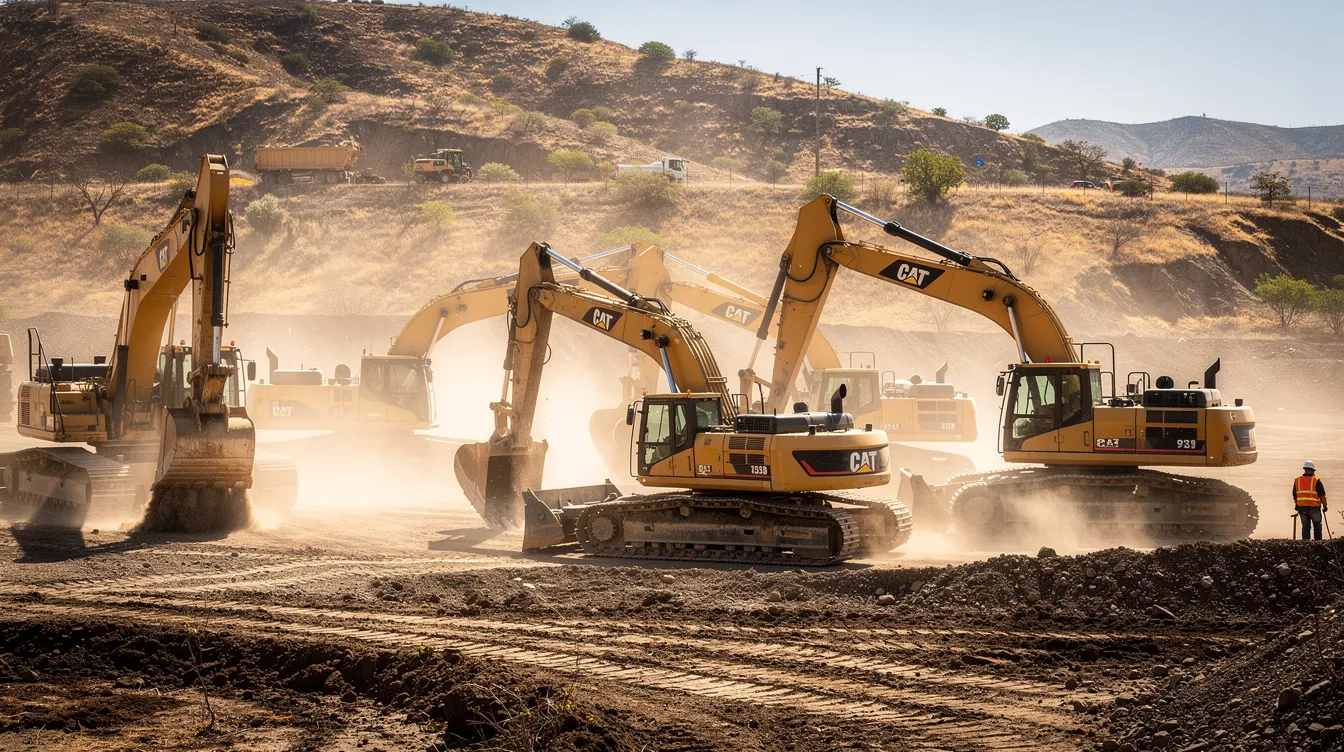
Common Southern California stressors include:
Simulate these conditions during evaluation. Test tablets in direct sun. Run jobsite cameras during overnight concrete pours. Verify that wearable construction technology remains comfortable under high-visibility vests and harnesses. Laser scanning technology improves landscape documentation accuracy, but only if the devices can handle dust and temperature swings without calibration drift.
Checklist questions for this area:
Underutilized equipment can lose 20–40% of its value in the first year. If your new technology makes equipment harder to manage or track, the problem compounds fast. Log each real-world test result and use that log in vendor debriefs and future purchasing decisions across the construction business.
Strong vendor support is part of the product, not an optional add-on. Training resources and vendor support are critical for customer onboarding and ongoing assistance. Evaluate support with the same discipline as hardware or user interface.
Ask specific questions for your checklist:
Test support before buying. Open a few trial tickets. Ask realistic configuration questions. Evaluate answer clarity, follow-up speed, and whether the vendor’s service team understands the demands of a jobsite environment.
Contracts should document onboarding and continuous training: initial setup, administrator coaching, refresher sessions, and access to recorded modules. Safety education is a critical component of construction training programs, so align vendor training sessions with internal safety meetings to avoid overloading supervisors. Construction training programs help meet California’s labor compliance standards, making coordinated onboarding doubly valuable.
Poor support turns low purchase prices into high operational costs. When project teams lose hours waiting for answers or building workarounds, productivity drops and risk climbs.
Data flow is a core concern for any construction executive. Disconnected tools force duplicate entry, create errors, and hide information needed for informed decisions. Effective communication between field teams and office staff is essential for improving project outcomes, and that communication depends on data moving cleanly between platforms.
Typical systems in a Southern California construction business that may need to exchange data include:
Integration and interoperability require tools to work seamlessly with project management and scheduling systems. Integration capabilities refer to how well solutions interface with existing software through APIs. Require live demonstrations showing exactly how RFIs, quantities, timesheets, or safety observations move between systems without manual spreadsheet exports.
BIM software helps reduce construction errors and optimize materials. BIM software enhances efficiency by minimizing construction errors. Construction management software minimizes material waste and carbon emissions, which matters in an industry where buildings account for 39% of global greenhouse gas emissions. But these gains only materialize when tools share data rather than creating silos.
Your checklist should include questions about:
Involve IT or outside experts when integrating sensitive data streams that hold worker data or project financials.
List price or first-year subscription costs rarely represent the full investment. Total cost of ownership includes ownership and operating costs across the system’s full lifecycle. A transparent pricing model clarifies costs associated with construction technology adoption and prevents surprises during year two or three.
Include all cost categories in your evaluation:
| Cost Category | Examples |
|---|---|
| Licenses or hardware | Software subscriptions, tablets, devices |
| Implementation | Configuration, data migration, integration work |
| Training | Initial onboarding, refresher sessions, labor hours |
| Support and maintenance | Annual fees, premium support tiers |
| Scaling | Additional users, projects, or site deployments |
| Hardware refresh | Repairs, replacements, battery packs |
Cost-benefit ratios analyze investment versus projected returns, often calculated through labor savings. Compare costs against expected gains: fewer delays, reduced rework, faster billing, improved safety outcomes, and better resource planning. Use conservative assumptions.
Consider the cost of inaction. Preventive maintenance can reduce costs by five times compared to reactive repairs. Excessive idling can waste tens of thousands of dollars annually. A single track replacement on a crawler can cost more than $22,000. If a new technology platform helps contractors track, manage, and schedule equipment more effectively, those avoided costs belong in the analysis.
Some technologies, like advanced construction safety technology or energy project monitoring systems, may carry higher up-front costs but deliver lower long-term risk. If total cost of ownership is unclear or depends on future add-ons, treat that uncertainty as a risk factor. Don’t let financing promises or vague roadmap features replace a complete cost model before you invest.
This section translates the six stress tests into a concise construction technology evaluation checklist that a construction executive or project manager can print and use in vendor meetings.
Step 1: Define the problem. Document the specific job or workflow the tool should improve. What are the current pain points? What determines success?
Step 2: Score each stress-test area (red/yellow/green or 1–5):
Step 3: Confirm must-haves for field teams:
Step 4: Plan training and adoption. Identify internal champions. Block time for onboarding without disrupting safety meetings or critical path work. Construction procurement manages materials and services for projects; effective procurement reduces waste and boosts profitability, and the same discipline applies to procuring technology.
Step 5: Final sign-off. Operations, finance, and safety each record a go-or-no-go recommendation. This ensures technology decisions balance project delivery, cash flow, and worker protection.
Save this checklist as a template. Apply it consistently so your construction business builds a repeatable, improving process for every future technology purchase.
ABC Southern California serves as a practical partner for contractors evaluating construction technology and building workforce skills around new tools. The chapter’s continuing education catalog includes technology courses and education in areas such as construction software, digital plan review, and related productivity skills that help crews adopt new systems faster. Apprenticeship programs provide hands-on training for skilled trades, and involving apprentices or craft trainees in technology pilots builds long-term capability.
Construction safety technology resources from ABC SoCal help members apply the same disciplined checklist approach to safety-focused systems, from wearables to automated monitoring. Wearable construction technology is one example where members can combine this evaluation checklist with guidance on integration, training, and cost-benefit analysis.
Improving accuracy in scheduling, estimating, and field reporting often starts with the right tools and the right training. Explore ABC SoCal membership, review upcoming classes, and contact the chapter for guidance on building a technology-ready workforce.

Structured stress testing protects Southern California contractors from costly missteps. In an industry where supply chains are complex, lead times are unpredictable, and building schedules leave little room for error, every technology decision carries real risk and real opportunity.
Before buying, evaluate every significant technology solution for interruption risk, time to crew productivity, field performance, vendor support, data integration, and total cost of ownership. Here is a simple three-step action plan:
Align technology evaluation with broader strategic goals: reduce waste, strengthen California labor-compliance reporting, improve safety outcomes, and gain visibility across all active construction projects. Connect with ABC SoCal for additional guidance, training options, and peer insight from members modernizing their technology stacks.
Below are answers to common questions about this topic.
A feature list inventories what a system can do. An evaluation checklist tests how well those features support real workflows, risk management, and profitability on actual projects. It measures operational fit, not just capability, by examining reliability, adoption speed, and total cost under real conditions.
Introduce the checklist after initial market research but before final vendor selection. The most valuable window is during pilot projects, reference calls, and contract negotiations, when you still have leverage to negotiate terms or walk away.
The same questions apply regardless of company size. Smaller firms can simplify the scoring and focus on the few systems that drive most daily work, such as estimating, scheduling, and field reporting tools. The principle of stress testing before buying scales to any budget.
Review the checklist at least once a year, or after any major technology rollout. Incorporate lessons learned from pilots, user feedback, and changes in California regulations or client expectations to keep the process current.
At minimum, include a construction executive or owner, a project manager, a superintendent or foreman representing field teams, someone from finance or accounting, and, where applicable, a safety leader or labor-compliance specialist. This ensures decisions balance schedule, cost, and worker protection.